


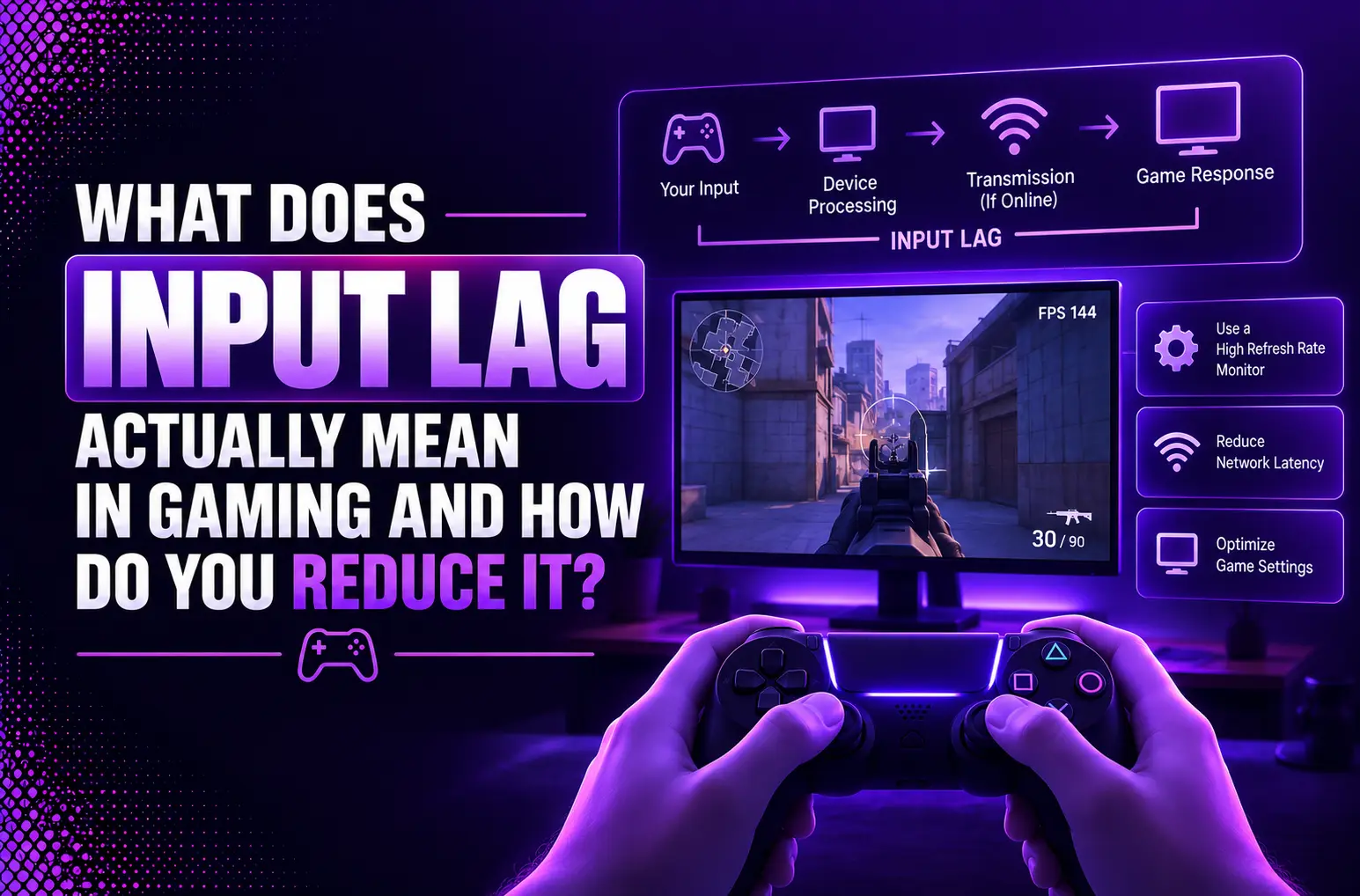
Even the most powerful game system can be a performance killer when it is not optimized for the way the user controls it. That performance killer is none other than input lag. It is the amount of delay between the user’s input and the system’s response. From setting up that winning shot to landing precisely in a combat game, gaming input lag does the job of ensuring that what you do reflects on the screen. That delay, or lag, is in milliseconds, the time it takes between pressing a button and seeing what you just did show on your display. With the advent of today’s highly responsive gamer, input lag has become an important aspect for both casual and professional gamers, due to the split-second responsiveness demanded from a modern game. With the right knowledge about the causes and ways to minimize input lag, you can significantly enhance your overall gaming journey and performance. This latency chain comprises various factors, including display resolution, screen refresh rates, and frame buffer refresh rates. It also consists of hardware options. This guide explains everything you may need to know about input lag, its distinction from response time, and what you should do about it in your whole equipment setup.
Why Input Lag Matters More Than Ever for Modern Gaming
Why milliseconds can affect gameplay
Time to react is about 150-250ms (range) for humans, and competitive players should aim to reduce their time to 130-160ms. In FPS peek duels, who gets the first shot will depend on a 10ms difference in input lag time, or in MOBAs. Whereas, who gets a last hit will be determined by the same difference in input lag. In fighting games, this lag could mean the difference between a combo and a no-go, as lags are within 1–2 frames (~16.7ms).
How input lag impacts casual and competitive gamers
The shorter response time for users will not be noticed by casual players, but competitive players will be able to benefit from visibly higher performance. Fewer lags result in a more natural flow, less annoyance from twitchy muscle responses, and improved muscle memory retention across sessions.
Why display technology has become a key factor in gaming performance
Monitor with refresh rates up to 144Hz-360Hz have significantly reduced response times on monitors. Provided you have 1000Hz polling mice and proper OS settings, the total lag time can be sub-15ms making hardware selection of paramount importance when it comes to responsiveness.
What Is Input Lag?
Input lag refers to the lag between pressing a button on your controller, the keyboard, or mouse (input) and seeing the action on your screen (display). It is measured in milliseconds (ms); it is the time it takes for your input to pass through the entire signal path. It goes from peripheral to display.
Understanding Input Lag in Gaming
Input lag in games directly impacts the responsiveness and “snaptility” of the game. For competitive players, total system latency should be less than 15-30ms: over 40-50ms and it will feel slow and impact performance in fast action games such as shooters, fighting and rhythm games. Input lag is not a network problem and caused by local hardware / software limitations that can be a result of your controller, pc or console, gpu and monitor.
How Input Travels from Controller to Screen
When you press a button, the signal passes through the following. Your controller sends that signal to your system; the system receives that signal and performs the necessary processing functions for the game. It results in creating a new level of “stuff” that the GPU handles and then a frame displays on your screen. There is a delay of a few milliseconds at each stage ranging from controller polling to USB or wireless data transfer, controller game logic, GPU queueing, and display image rendering.
Why Even Small Delays Matter
Competitive games can lose and win within 10 – 20 ms. For competitive games it really could be a difference of life and death between getting a shot off and being eliminated. The animation is delayed on your screen and controls are perceived as “floaty” or not precise. Lowering input lag will make reaction time, aiming accuracy and playability smoother, giving the player a real advantage in bigger games.
What Causes Input Lag?
Display Processing Delays
Input lag occurs when video signals are fed into your monitor or TV, which does various enhancements to the video signals. In the digital space, multiple things lead to display input lag before the frame even reaches your eyes, including on-screen scaling, processing of motion and color, and more.
Graphics Card and System Performance
Input lag can be a major drawback with GPUs when they have a lower frame rate than your refresh rate or system bottlenecks can occur. The higher the frame rate, the lower the input lag.
Controller, Keyboard and Mouse Latency
Wireless peripherals add to the input delay of wired parts while Bluetooth adds even more latency than a dedicated receiver (2.4GHz). Other factors including the ‘mouse polling rate’ and ‘mouse controller firmware’ impact how quickly your actions are completed.
V-Sync, Frame Rate and Graphics Settings
There are methods of synchronization called V-Sync which can cause input lag to rise to unimaginable levels if your GPU ends up waiting for the display’s refresh cycle. If it’s not graphic settings, it’s anything that causes frame rate to drop indirectly. This means it further extends the frame rendering time therefore input lag.
Input Lag vs Response Time: What’s the Difference?
What Is Response Time?
Response time is the time for the display to go from black to white or gray to gray. While there is nothing on a display, it is black. The amount of time it takes the display a white or gray pixel is recorded as its response time.
Why Input Lag and Response Time Are Often Confused
Input lag and response time are frequently described incorrectly due to their overlapping time measurements in milliseconds, and for different aspects of the visual stream.
Which One Has a Bigger Impact on Gaming?
Even though response time might have a larger impact on performance, the input lag usually has a larger and more noticeable effect on the real time “feel” and responsiveness to the monitor.
How Monitor Input Lag Affects Gameplay
The term “input lag” describes the time in milliseconds (ms). This means the time between what you press on the keyboard, click on the mouse, or do using the controller and when it displays on the screen. Although it may sound trivial, a delay, no matter how small, can have a negative impact on the accuracy and reaction times, and where applicable, competitiveness of a game, particularly in titles that involve quick reflexes such as shooters, racing games, fighting games and more.
Input Lag Across Different Monitor Types
- TN panels: Generally have the minimum input lag and maximum response time, so they are used by esports enthusiasts, but they may not be the best for the color accuracy and viewing angles.
- IPS panels: Nowadays, Better colors and viewing angles; modern IPS gaming monitors offer a very low input lag. This is comparable to that of TN panels, but with improved motion clarity.
- VA panels: Typically have a high contrast, can have excessive motion blur, and may have widely varying input lag depending on the model and settings used.
- OLED: Performance-wise, it offers near-unwatchable response times and extremely low input lag; however, it has some drawbacks like input lag and cost, which does not make it a mainstream display.
Gaming Monitors vs Standard Displays
Gaming monitors put a premium on things that reduce what is known as “lag.” These include high refresh rates (144Hz–240Hz+), 1ms response times and adaptive sync (FreeSync/G-Sync). Standard office / TV displays also tend to feature a higher processing overhead, image enhancement features, and a lower refresh rate. This leads to a higher input lag and sluggish gameplay experience.
What Is Considered Good Input Lag?
- Excellent: ≤10 ms
- Good: 10–20 ms
- Acceptable: 20–30 ms
- Noticeable lag: >30 ms
≤15 ms – for competitive gaming, there is minimal effect with up to 30 ms for casual users.
How to Reduce Input Lag
Enable Game Mode on Your Display
Most modern TVs and monitors have a “Game Mode” function to turn off any programmatic features that are available but not essential in gaming. This reduces the time needed for the pixels to respond inside the display and minimizes lag overall, too.
Increase Frame Rates
A frame rate of the higher frequency results in a higher number of screen updates. Reduce the graph settings or upgrade the GPU to maintain higher FPS to cut down the delay between entering the action and it being shown on screen.
Disable Unnecessary Post-Processing Features
The more such options you enable the longer it will take to process. Use the display and game set-up options to disable these to get more responsive play.
Use High Refresh Rate Displays
The more frequently the frames are refreshed, the lower the frame rate (144, 240, or higher). This enhances the plunging feeling and reactivity in gameplay, particularly for fast paced games.
Optimize GPU and Driver Settings
Set up low-latency settings in the graphics card settings, and uncheck V-Sync if tearing is OK, and update graphics card drivers. These adjustments will make your hard drives run as fast as possible.
How to Fix Input Lag in Games
Check Display Settings
First, make sure that your monitor refresh rate is at its maximum setting in the Windows Display Properties menu. Refresh rates are higher, which means less of a delay from input to response on screen. Don’t synch the frame rate with V-Sync in game, as this can cause some lag. If you have an Adaptive Sync-supported monitor (FreeSync/G-Sync), enable it to prevent screen tearing without adding lag as well. In addition, connect to the TV with a wired cable rather than wireless or use the “Game Mode” function. It bypasses unwanted image processing on the TV.
Reduce Graphics Bottlenecks
With high graphics settings, there is the risk that the NPU will become inundated, resulting in “frame delivery delays. Stat down particles, shadows, anti-aliasing, textures and set aside from the frame for better pacing. Try to keep the frame rate no lower that your monitor’s refresh rate, to decrease lag.
Update Graphics Drivers
Older drivers may result in performance problems. Update the drivers regularly from Intel, Nvidia and AMD for best compatibility and lowest latency.
Optimize Game Configuration
Favor visuals over performance – make in-game settings that way. You should set your refresh rate just under your refresh rate or push it up as much as possible if you have more power to spare. Close background apps to ensure there are enough system resources to play.
Low Latency Gaming: Best Practices for Competitive Players
Choosing the Right Gaming Monitor
Choose a monitor that has low input lag, and a high refresh rate (144 Hz, 240 Hz or greater). Focus on features such as variable refresh rate (VRR), the low response time (1ms GTG) and games modes designed to minimize processor delay. For competitive gamers, TN or fast IPS panels are often the preferred choice despite the reduced color quality.
Matching Refresh Rate with FPS
Try to match your monitor’s refresh rate with the average FPS of your system to prevents stutter and losses of frames. You can count on it bringing smoother motions and getting rid of reproalation in a shooter game with your GPU consistently running at 200+ FPS. Enable adaptive sync (G-Sync/FreeSync) to sync up the refresh rate as needed, thus reducing tearing without increasing latency too much.
Wired vs Wireless Gaming Peripherals
In competitive applications, wired keyboards and mice usually provide better and faster response than wireless devices. State-of-the-art in-wire, top-notch equipment can be great, but there is no interference or fluctuation when it relies on wires. Use light devices with high polling frequencies (1000 Hz or 1 kHz), and update the firmware.
Optimizing Network Latency Alongside Input Lag
Always use Ethernet connection to reduce network lag, choose the closest game server region and close bandwidth-consuming applications and runaway background processes. Turn on QoS on your router so that gaming data gets prioritized and use a slow DNS with faster lookup times. Keep in mind that regardless of perfectly great gear, FPS effects latency. This will still create a delay in input to action when compared to opponents. Therefore, consider network latency as part of your overall “input-to-action” delay.
Choosing Hardware That Minimizes Input Lag
Gaming Monitors
Look for monitors with fast refresh rates (144Hz or higher) and fast response times (1ms or lower). Use the Display Menu to switch to Game Mode or to set the game mode to Low Input Lag, and use DisplayPort to transmit signal at faster speed than HDMI.
Graphics Cards
Purchase GPUs with features such as NVIDIA Reflex or AMD Anti-Lag. Keep the driver informed and adjust settings to high performance, so to decrease rendering speed of the frames.
CPUs and Memory
The high-speed processing of game logic through a fast multi-core processor and the low data bottlenecks created by high-speed RAM (3200MHz and above). Dual-channel memory further reduces latency during heavy gaming.
Controllers, Keyboards and Mice
Choose wired peripherals instead of wireless to avoid Bluetooth or RF lag. Mechanical switches of a low “pumping” point and mice running on large “pumping” rate (1000Hz+). It provide quicker and more accurate inputs for competitive advantage.
Common Myths About Input Lag
| Myth | Reality |
| Graphics cards are the primary cause of input lag | Input lag is influenced by multiple factors including display type, refresh rate, V‑sync settings, mouse/keyboard polling rates, and render-ahead queues—not just the GPU. |
| All gamers need to worry about input lag | Input lag mainly matters in fast-paced “twitch” games (e.g., competitive shooters). For casual or strategy gaming, its impact is negligible compared to human reaction time. |
| Enabling SLI/CrossFire increases input lag | Multi-GPU setups like SLI or CrossFire do not inherently worsen input lag; higher frame throughput generally compensates for longer render queues. |
| Wired vs. wireless network affects input lag | Network type (wired or wireless) does not meaningfully change input lag; local ping to a router is typically under 1 ms in both cases. |
| PS/2 keyboards reduce input lag vs. USB | There is no practical input lag difference between PS/2 and USB keyboards for gaming purposes. |
| V‑sync always halves frame rate | Modern multithreaded engines allow frame preparation while waiting for V‑sync, so frame rates aren’t simply halved; it nuanced effect. |
| HDTVs and LCDs with processing don’t affect lag | Displays with heavy video processing or disabled “game mode” can significantly increase input lag; panel type (IPS vs. TN) and refresh rate also matter. |
How Manufacturers Continue Reducing Input Lag
AI-Based Image Processing
Image rendering is changing thanks to artificial intelligence, with the ability to predict the frames and upscale the images in real time. The AI uses algorithms to predict future trends in motion, thus minimizing the lag time between user input and output on the screen. This predictive processing cuts perceptible lag, especially in fast-paced gaming and interactive applications.
HDMI 2.1 and VRR Technologies
With HDMI 2.1 and Variable Refresh Rate (VRR) it’s been a huge step toward reducing latency related to displays. HDMI 2.1 offers improved bandwidth capacity, thus delivering faster transmission of HD as well as HD video and audio signals. VRR processes the refresh rate of the display in sync with the GPU’s output frames, thus mitigating issues like screen tearing and preventing stutter, resulting in smoother and less laggy visual performance.
Future Display Innovations
Moving forward, manufacturers are researching microLED panels, low-latency OLEDs, edge-compute-enabled displays, etc. This innovation makes almost instantaneous pixel response time and localized processing possible to further reduce input lag. When paired with 5G and edge networking, the future of displays will be even more interactive, ensuring that players will not lose interest in the game due to lag.
Conclusion
Input lag is another key, but seldom talked about, element of gaming performance. By the way, it’s important to know what input lag exactly is and how it impacts your gameplay, so you can make informed choices about making the right setup for your gaming experience. There are many ways to minimize the input lag and increase responsiveness from selecting the correct monitor, to optimizing your graphics settings. Fortunately, there are ways in which you can reduce input lag to an acceptable level to avoid affecting your gameplay. If you’re a competitive esports player or just want to enjoy smoother gameplay, then it’s important to tackle input lag. For competitive gamers, the millisecond difference between a sluggish and instant reaction can make all the difference, making all optimizations worthwhile.
Frequently Asked Questions
Q1. What is input lag?
Input lag is the time it takes for a physical input such as pressing a button on a controller, moving a mouse, or moving the touchscreen.
Q2. What causes input lag?
It occurs when a signal is sent through the entire range of hardware and software in the system and different bottlenecks impede the flow.
Q3. How do I reduce input lag while gaming?
For gaming, minimize lag by using wired peripherals, Game Mode of your display and maximizing frames with one of these.
Q4. What is good input lag for gaming?
For games, a good input lag is under 20 milliseconds (ms) for competitive games.
Q5. Is response time more important than input lag?
Neither are “more important. Since they control two completely different aspects of display performance. Input lag, determines how quickly movements on the display feel when they are made. Whereas, response time provides clarity of moving images.

Leave a Reply