


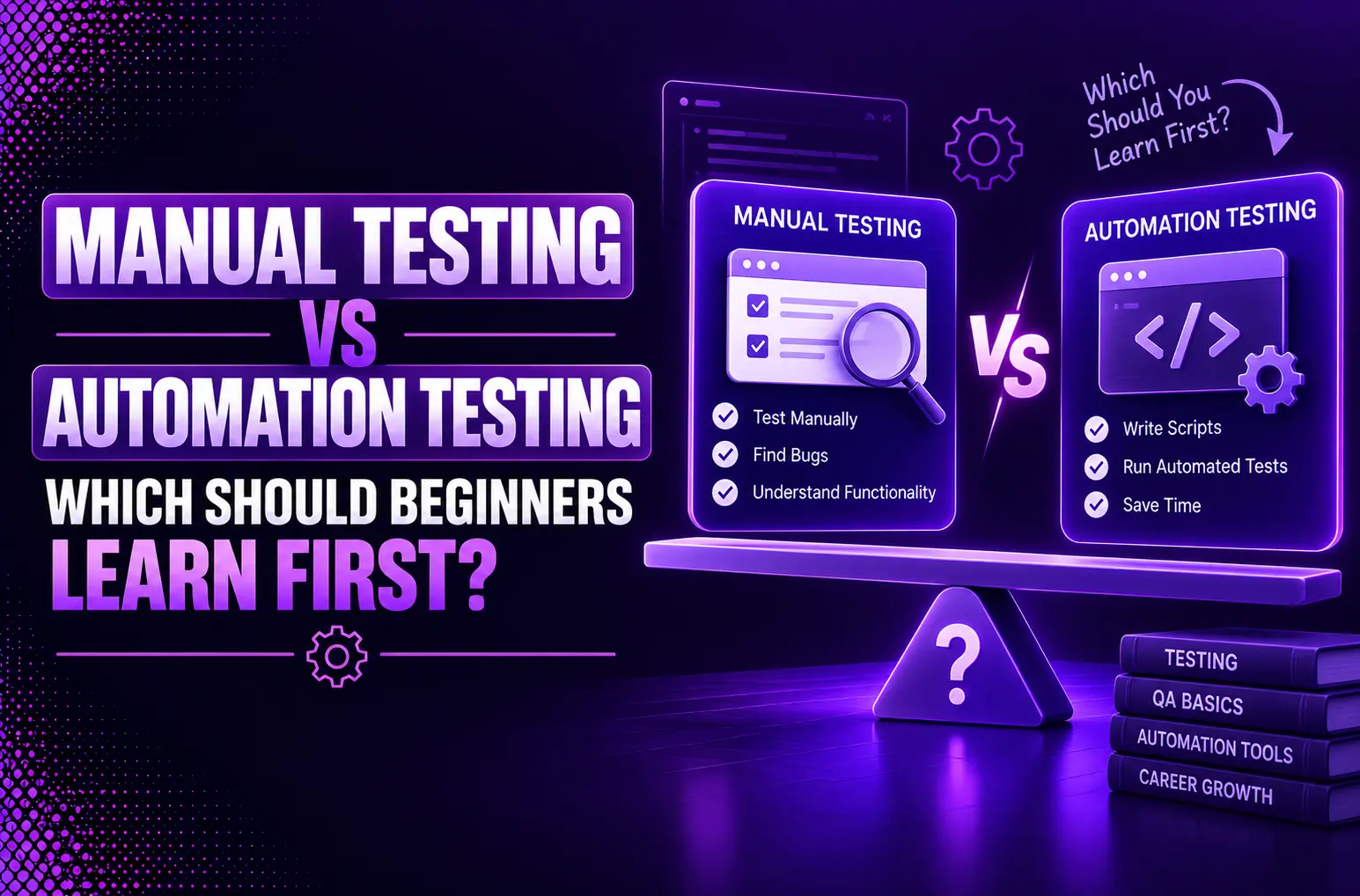
It can be a challenging task for anyone taking their first steps into software quality assurance to make their first big choice. Whether they want to do manual testing or automation testing. The reality is, they’re both significant. The best place to begin will rely on your objectives, history, and the sort of software testing career you are targeting. So in 2026, manual testing vs automation testing will matter more than it did before, because testers have to balance. This guide explains the pros and cons of each method, as well as why it’s useful for beginners to keep skills acquired with manual tests for a while before turning to automation. In the end, you’ll get a clear direction to begin generating your way to QA success.
Why Understanding Manual Testing vs Automation Testing Matters
Understanding the concept of manual testing vs automated testing assists you to make better career selections and also be valuable in the QA groups. It also helps you to choose the appropriate tools and strategies for various projects. With both manual and automation engineering jobs, understanding when and why to take each is a differentiator.
What Is Manual Testing?
Manual Testing is a software testing methodology that testers use to test test cases manually without any software automated test tools. It requires meticulously checking and confirming the logic of an application, usability, and the performance it delivers through specific test scenarios.
How Manual Testing Works
Manual Testing is a software quality assurance method in which the testers test the software manually to find out the bugs and confirm the software. Usually, the workflow consists of five stages:
- Requirements understanding
- Development of detailed test cases
- Manual implementation of tests
- Bug report in tracking system (JIRA / Bugzilla)
- Retesting after a bug is fixed
Testers mimic their actions like interacting with the UI (user interface), entering data, clicking buttons, and checking the output to ensure the software fulfils its requirements and offers a seamless user experience.
Types of Manual Testing
- Functional testing helps to assure all the features will perform as required: e.g., perform logon with the valid and invalid credentials.
- Regresstion testing is used to make sure that the new changes in code don’t affect the old functionality.
- Smoke testing is the part of testing to check whether the build is stable or not, prior to deeper testing
- Exploratory testing means testers can play around freely in the application without any pre-script and find out the surfaceless bugs.
There are other common forms such as:
- Usability testing (evaluating user-friendliness)
- Integration testing includes checking the interactions between modules.
- End-to-end validation (system testing)
- Acceptance testing (confirming business needs are satisfied)
Skills Every Manual Tester Should Develop
A successful manual tester needs to be well-versed in technical knowledge as well as possess good analytical and communication skills. It is essential to covered skills in SDLC, STLC, Test Case Design skills, and how to write clear and reproducible Bug Reporting skills. Testing should equip testers with the ability to think critically to cover all the situations, be attentive to detail and have domain expertise to test from the end user’s point of view. Knowing bug tracking systems such as JIRA, TestRail, basic SQL knowledge for database validation and understanding the basics of automation further assists a testers success in today’s QA teams.
What Is Automation Testing?
Automated testing is a software testing technique where they automate test cases and run with the help of specialized tools and scripts, instead of by humans. It is a process of writing tests scripts and verifying or using automation framework to check the functionality, performance, security and usability of an application.
How Automation Testing Executes Test Cases
With automated testing, software testers execute predefined test procedures provided in automated test scripts and hold expectations of the results. These scripts can be run multiple times with several scenarios. They check actual values with the expected ones and report the discrepancies as a defect. A framework for automating the creation, scheduling, and reporting of scripts, and can be linked with CI/CD pipelines for continual validation. This process minimizes manual mistakes, speed-ups feedback and allows for the testing of more complex or higher volume cases where manual testing would be cumbersome.
Popular Automation Testing Tools
Depending on the project, team members and budget, teams select the right tool. Frequently used test tools are
- Unit testing frameworks (such as JUnit, pytest)
- API testers (such as Postman, REST-assured)
- UI/web automation (such as Selenium, Cypress)
- Performance/load tools (such as JMeter)
Test management software such as PractiTest can manage cases, connect with automation, and produce reports. The selection of the appropriate stack optimizes ease of use, maintainability and reporting.
Where Automation Delivers the Greatest Value
Automation excels at repetitive tests, time-consuming tests, or tests which are prone to error: regression tests, smoke tests after a build, API contract testing, integration testing, performance/load scenarios. It extends beyond the typical, adding more coverage and accuracy to edge cases and more complex configurations. Not all tests should be automated, but high impact tests result in quicker releases, higher quality and lower long-term costs.
Manual Testing vs Automation Testing: Key Differences
| Parameter | Manual Testing | Automation Testing |
| Definition | Test cases are executed manually by testers. | Test cases are executed using automation tools and scripts. |
| Processing Time | Time-consuming | Faster execution |
| Resource Requirement | Requires human testers | Requires tools and skilled professionals |
| Exploratory Testing | Possible | Not ideal (limited support) |
| Framework Requirement | No framework required | Uses frameworks (Data-Driven, Keyword-Driven, etc.) |
| Reliability | Prone to human errors | More reliable and consistent |
| Investment | Investment in human resources | Investment in tools and automation engineers |
| Test Results | Recorded manually (e.g., Excel) | Automatically generated reports/dashboards |
| Human Intervention | High | Minimal |
| Performance Testing | Not suitable for load/stress testing | Suitable (e.g., using JMeter) |
| Batch Testing | Not possible | Multiple tests can run together |
| Programming Knowledge | Not required | Required |
| Documentation | Limited documentation | Scripts act as documentation |
| Best Used For | Exploratory, Usability, Ad-hoc testing | Regression, Load, Performance testing |
Advantages and Limitations of Manual Testing
Advantages of Manual Testing
1. Flexibility: In case of rapid modifications manual tests might have to be performed, such as exploratory and usabilty tests, in which human intelligence comes in handy.
2. UI/UX feedback: Humans interacting with the application can suggest how best to design it from the User’s perspective which automation tools cannot support.
3. No test scripts required: Manual testing doesn’t require knowledge of programming. Thus it avoids the complex setup for test scripts.
4. Good for smaller projects: For some applications, manual testing can be affordable for small projects. It is best for developing the framework or scripts. Whereas automated testing is more investment-heavy.
5. Exploratory tests: Human testers are able to explore unexpected inputs and test cases better compared to the automated ones.
6. Immediate feedback: A quick response or report from testers if anything go wrong.
7. Ad-hoc testing: It may be used in verification of new functionalities without test case.
Challenges of Repetitive Manual Testing
1. It is Time-Consuming: Since it is a manual one it takes lot of time especially when we want to do regression testing as it has to be execute repeatedly during each build.
2. Increased human errors: When a test is carried out by human, errors are more likely to happen and some test cases could be missed.
3. Not Scalable: It is not suitable for larger applications and complex workflows.
4. Difficulty in performing load/performance testing: Manual load-test and performance-testing is difficult.
5. No reusability: Manual test cases have to be run from scratch every time.
6. Costly in the long term: Manual work can cost a lot, especially if lots of regression testing is being carried out.
7. Parallel execution: Manual testing consumes more resources for parallel execution then automation.
When Manual Testing Is the Better Choice
Manual testers are well-suited for understanding user experience, doing exploritory tests and testing software at early stage/unstabled stage.
Benefits of Automation Testing
1. Speeds Execution: Automation accelerates the process of test execution by many fold compared to manual.
2. Increased Accuracy: It removes human fallibility from the process hence ensures the accurate and consistent test results.
3. Long Term Cost Savings: The setup cost might be high but long-term expenses can be reduced.
4. High Test Coverage: Test large set of scripts can be run across browsers, platforms and gadgets together.
5. Test Script Reusability: The test script created can be used for many projects as well as test cycles.
6. Continuous Test with DevOps and CI/CD: This test can be executed in every deployment process
Selenium Automation Testing and Other Popular Frameworks
Robot Framework
Python is the basis for the Robot Framework robot language. Provides a keyword driven approach to facilitate test writing. It’s a consortium of free tools which can be used to perform software testing automation. There are many applications that use Robot Framework as a test tool for acceptance test driven development (ATDD).
WebDriverIO
One of the popular JavaScript test automation frameworks is WebdriverIO based on Node.js. It is expandable, compatible, packed with features and simple to set up. Developed to support web and mobile applications — and capable of handling both desktop and app development.
Citrus
Citrus is an open source framework, written in Java, that simplifies message-based automated integration testing of EAI applications. Incoming and outgoing messages are predefined by testers.
Selenium
Having this tool simplifies and streamlines the coding process while maintaining. It is driven by the JavaScript framework. It can execute tests straight on the target browser and enact interactions on the desired web page. It can run the tests once more without any manual interaction. There are primarily three types of frameworks that are developed by Selenium for automating a manual test case:
- Data Driven Framework in Selenium
- Keyword Driven Framework in Selenium
- Hybrid Framework in Selenium
Cucumber
This is a free (open-source) Ruby-based tool to test software. This is a tool to write tests that are understandable to all, technical or non-technical. It acts upon two significant files; the feature file containing code in human-readable language. The step definition file with the actual code written by the developer.
Cypress
Cypress is an end-to-end JavaScript testing solution that gives you a visual testing interface that will show what tests and what commands are running, successful, or failed. It’s quick and simple to install and operate.
PractiTest
With PractiTest, it is possible to run, control, view and manage both automation and manual testing. It offers 100% visibility of the entire process, all in one place. PractiTest’s xBot test automation framework is an application. This allows a user to run (or initiate a run by scheduling) automated test scripts on a remote machine from the PractiTest UI.
Choosing the Right Automation Tool
Selecting the right automation tool involves evaluating your application’s tech stack, coding ability of your team, and budget.
Should Beginners Learn Manual Testing Before Automation Testing?
1. Build a Strong Foundation
Manual testing involves understanding bug tracking, Test Case Design, and the Software Development Life Cycle (SDLC). Before you begin working with automation tools, it’s best to have an understanding of these basic concepts.
2. Identify the Components of Quality Outcomes
Manual tests help you be a user – find edge cases, usability problems and logic defects that can be missed by automated tests.
3. Simpler to Get Started on
Manual Testing requires no coding skills, ideal for Technical non-coding novices. Once you have your hands dirty in manual testing, some way or the other you transition to Automation Testing. It handles less complex and larger projects seamlessly.
Suggested Learning Roadmap for Beginners
- Understand SDLC & STLC.
- Take to practice writing test cases and bug reports:
- Understand basic manual testing skills.
- Discover a programation language (python or java).
- Try out Selenium or Playwright.
- Develop experience through testing projects.
Manual Testing for Beginners: Essential Concepts
Software Development Life Cycle (SDLC)
SDLC is a structured process for the design, development and testing of high-quality software. It has 6 main phases:
- Requirement Analysis
- Software Design
- Software Development
- Software Testing
- Software Deployment
- Software Maintenance
The following captures the importance of each phase and the impact it will have on achieving the business goals and the user needs whilst reducing risk and cost.
Software Testing Life Cycle (STLC)
STLC applies to only Testing activities of SDLC. It consists of five steps, Test Planning, Test Case Development, Test Environment Setup, Test Execution and Test Closure. When applied to software testing, STLC provides systematic validation of software functionality, reliability and performance in stages leading up to the release.
Writing Effective Test Cases
The good test cases are clear, concise and they include both positive and negative cases. They should contain test steps, expected results, pre-conditions and test data. Test cases, if written well, increase coverage and decrease ambiguity and can support repeatable testing.
Bug Reporting Best Practices
A good bug report contains a good title, steps to repeat the bug, expected vs. actual behavior, severity, priority, screenshots and/or logs. It needs to be concise, actionable and delegated to the appropriate developer. Bug reports help fix bugs in a timely manner, and enhance software quality.
Career Opportunities in Software Testing
Manual Tester Career Path
Manual Testers perform tests without using test automation tools, prioritizing, above all else,. These include finding bugs, checking functionality, and confirming user needs. Junior positions usually demand 0-5 years of experience. Tasks can involve working with developers to enhance software quality, documenting tests, and reporting software bugs. With experience, testers move on to higher-level manual testing positions, project management, or move into automation related roles.
Automation Test Engineer Career Path
Automation Test Engineer designs and develops automation test scripts either with the help of automation frameworks such as Selenium, Playwright or Cypress and automates them. With 2+ years experience, they will concentrate on optimizing testing process, add test coverage, and reduce manual effort. Professionals develop into roles of Senior SDET and QA Architect once with their advanced skills. They look after automation strategy and CI/CD integration and guide junior testers.
Skills Employers Look for in 2026
Employers value knowledge of automation tools (Selenium, JMeter), programming basics (Python, Java), API testing, CI/CD pipelines and Agile methodologies. Other working benefits are:
- SQL/database
- Cross browser testing
- Performance/load testing
- Analytical and communication skills
Salary and Growth Opportunities
A manual tester makes Rs 4.1 lakhs per year on average in India, and a specialist in automation makes Rs 11.3 lakhs per year on average in India. Senior level jobs, like SDET, QA Architect fetch Rs 11.9 lakh to Rs 24.8 lakh. Demand for software testing is high, as driven by digital transformation, creating a strong growth trajectory with high prospects past 2026.
How Businesses Choose Between Manual and Automation Testing
| Decision Criterion | Manual Testing | Automation Testing |
| Best Used For | Exploratory testing, usability/UX reviews, accessibility checks, and one-off scenarios. | Regression testing, load/performance testing, and repetitive high-volume tasks. |
| Product Stage & Stability | Early-stage products with frequent UI/feature changes. | Mature, stable features that rarely change in core design. |
| Execution Speed | Slow; performed step-by-step by humans. | Fast; scripts run in minutes, often inside CI/CD pipelines. |
| Setup vs. Run Cost | Low initial setup cost, but high recurring cost per run (tester time). | High initial setup cost (code and infrastructure), but low cost per run. |
| Execution Frequency | Low frequency; tests run once or only a few times. | High frequency; tests run on every code merge or release. |
| Flexibility & Adaptability | High; human testers adapt instantly to visual or workflow changes. | Low; scripts break with UI changes and require code updates. |
| Project Budget & Size | Ideal for smaller projects, startups, or limited initial budgets. | Ideal for long-term, large-scale projects where initial tool costs even out over time. |
Common Mistakes Beginners Make When Learning Software Testing
Mistake 1: Skipping Basics
As a beginner, you can get hooked into any automation tool such as Selenium.
Reality: Automation is confusing and ineffective without first knowing the basics such as manual testing, SDLC, and test case design.
Mistake 2: Poor Test Planning
If you don’t understand a requirement it is poor to write a test case.
Reality: Through efficient requirement analysis, test strategy definition and scenario planning, all tests can be covered and more defects can be avoided.
Mistake 3: Ignoring Documentation
Many people prefer to ignore test cases, bug reports or execution log.
Reality: Clear documentation enables teams to communicate, be consistent, and have traceability throughout the testing lifecycle.
Mistake 4: Theory Over Practice
This narrowing of the scope of skill development is the result of simply considering concepts from theory, and without projects.
Reality: On-the-spot practice allows learners to gain firsthand confidence and problem-solving skills.
Mistake 5: Weak Bug Reporting
It feels like it’s frustrating developers when bugs are described in a vague manner.
Reality: A detailed report including reproduction steps, screenshots and logs helps you to receive fixed faster and to collaborate on a better fix.
Why Modern QA Teams Use Both Manual and Automation Testing
Faster Product Releases
With all tests united under one governance, there are no silos for manual testing and automated testing, and it is easier to coordinate the tests. Combined unit, integration and functional tests bring together repetitive processes and speed up feedback loops. Therefore, it minimizes points of delay in the process. This is also in support of Agile and DevOps practices, enabling companies to deploy changes at a more regular interval with assurance.
Better Software Quality
Having testing coordinated across all of the tools means full suite of testing, from exploratory manual testing to automated regression suites. Unified dashboards give a real-time overview of test findings. This enables them to find out gaps and defects quickly. Thanks to this shift-left approach, the quality of the code will be raised, and issues will be identified beforehand, before entering into production.
Reduced Testing Costs Over Time
Using automation eliminates repetitive manual work and shaves off overall testing time, while standardizing time to time. By consolidating all management in a single tool, redundant tools are reduced and maintenance is streamlined, thereby reducing costs in the long term.
Improved Customer Experience
The quicker the software release, the better the software. Once It publishes, it will crop up to fewer the types of defects. This will make user experience more responsive. Consistent testing guarantees that every single improvement matches up to the expectations of customers, improving satisfaction and trust.
Conclusion
If you’re wondering about manual testing vs automated testing, keep in mind that both have a critical role to play in today’s day and age of QA. Manual testing is the best place for beginners to get the necessary thinking capability and basic skills for a successful automation career path. The more you develop, the better the role opportunities with high salaries, and offer more impact through the use of automation tools, such as Selenium or Playwright. Knowing the concepts of manual testing vs automation testing early on and then mixing it up throughout the course of your career is the key. Manual testing vs automation testing can help you excel in your role of a manual tester, automation engineer or QA lead by 2026 and beyond.
Frequently Asked Questions
Q1. What is the difference between manual testing and automation testing?
Manual testing is a perfect fit for exploratory and design checking and the automation perfect for regression testing of repetive fast tests.
Q2. Which is better for beginners: manual testing or automation testing?
Manual testing is more suitable for beginners as you get to learn about software functionality and the practice of Bug tracking. The best part is one can also learn to write test cases without knowing a coding language.
Q3. Is Selenium enough to start automation testing?
No. You would not have started and built an automation engineering career by learning Selenium alone.
Q4. Can manual testers become automation engineers?
Yes, manual testers can easily shift to a career of automation engineer by learning to program and gaining experience of test tools and frameworks.
Q5. Do companies still hire manual testers in 2026?
Yes. Companies are definitely hiring manual tester in 2026 but jobs as standalone manual testers are changing, routine testing executions are heading towards AI/automation engineers.
Q6. Should I learn manual testing before automation testing?
Absolutely, you should learn manual testing basic concepts before starting to learn Automation testing.

Leave a Reply