

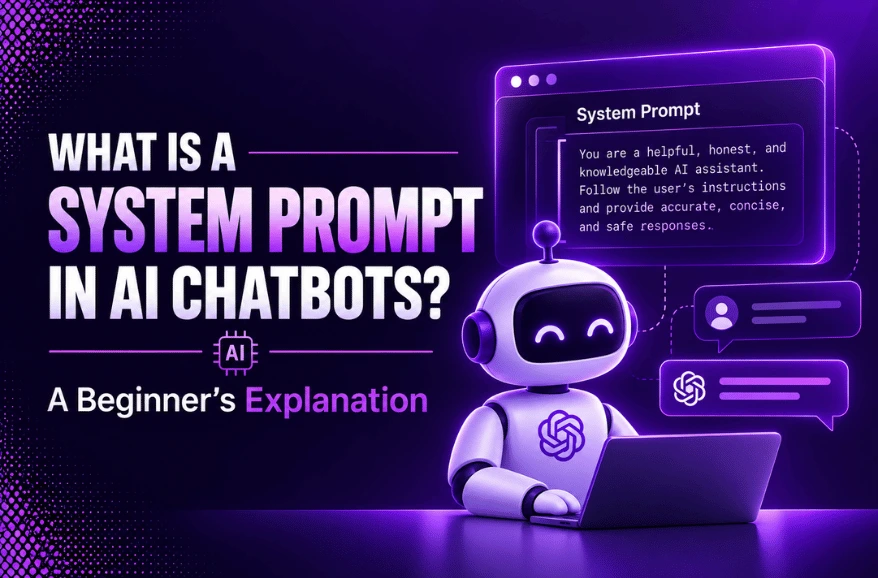
So what is a System Prompt? A set of instructions that defines how an AI chatbot will respond, behave, and communicate. It is run unsupervised and helps the chatbot understand what it has been asked to do before a user query is provided to the chatbot.
You might want to use a system prompt that tells an AI how to behave. This makes it serve as a friendly customer service representative. Also, it writes in a friendly way, and doesn’t say things that might be untrue, or it adheres to certain company policies. Typically, these instructions are not presented to the users, but highly impact their end results. Knowing what a system prompt is can help marketers maximize their use of AI for their business. System prompts help to establish consistency, enhance the response quality and make the chatbots appropriate to specific tasks. These lay the basis for today’s AI-powered technologies such as customer service bots, coding assistants, or knowledge bots within the workplace.
Why System Prompts Are the Foundation of Modern AI Chatbots
To deliver AI-powered, personalized interactions, modern AI chatbots incorporate AI system prompts. These prompts coordinate complex functions, like those involving memory retrieval, tools, and context. Then they serve as the central nervous system of an autonomous agent. System prompts are important in the performance evaluation and debugging of chatbots, as they significantly impact the behavior of AI systems, and can help identify their quality problems and performance variations, which is particularly critical for AI engineering teams.
What Is a System Prompt?
Understanding a System Prompt in AI
A system prompt is a collection of instructions to provide when initiating an AI to guide its behavior prior to an interaction with the user. It can prescribe the role, restrictions, mood, priorities, and type of feedback for the AI. An immediate question or tasks are then presented by the user prompt. The person to the right of it sets the operating rules for the system and the person to the left of it sets the user’s operating rules.
Why System Prompts Matter in Large Language Models
A system prompt defines persona and tone and provides instructions for the AI to adhere to. It applies to an authoritative position, a friendly guide, or a specific character. They enforce safety guardrails by blocking bad requests, keeping the information private to the model and lowering false facts. They ensure that the output is formatted in a certain way, such as a JSON structure for computer programs to interpret. They increase efficiency by ensuring that rules are preserved over a long conversation, thus eliminating the need for them to restate the rules in each of the user’s messages.
How System Prompts Influence AI Responses
Operational blueprints are needed to run AI models and system prompts represent them. They analyze user input to determine the primary key, behavior rules, safety protections, tone and formatting rules. Small edits to these instructions can make significant changes in a user’s request to an AI. Thereby affecting in the AI’s interpretation and response.
How System Prompts Work in AI Chatbots
The Role of Instructions Before User Input
The system prompt usually uses the user’s text in the AI’s conversation format. This helps the model to understand its role and rules prior to interpreting the user’s request.
How AI Prioritises System Prompts
Generally, AI chatbots give priority to system-level instructions rather than user-level instructions. Ideally, however, a good prompt should remain clear as unclear or confusing directions can lead to non-logical results.
From User Request to AI Response – A Simple Workflow

Difference Between System Prompt and User Prompt
| Feature | System Prompt | User Prompt |
| Purpose | Defines how the AI should behave, including its personality, expertise, tone, response style, and operational rules. | Defines what the AI should do by providing a specific question, task, or request. |
| Role | Acts as the framework that guides the AI throughout the conversation. | Provides the content or problem the AI needs to solve within that framework. |
| Persistence | Remains active for the entire conversation or application session unless changed by the developer. | Applies only to the current message and becomes part of the conversation history after the AI responds. |
| Scope | Influences every response during the session. | Affects only the current interaction or request. |
| Visibility | Usually hidden from end users and managed by developers or application creators. | Always visible to the user in the chat interface. |
| Control | Controlled by developers, platform administrators, or application designers. | Controlled directly by the user. |
| Modification Rights | End users typically cannot modify it. | Users can change it with every new message they send. |
| Priority | Has higher priority and generally overrides conflicting user instructions. | Must operate within the rules defined by the system prompt. |
| Context and Memory | Establishes the base context that shapes all interactions in a conversation. | Adds task-specific context for the current request. |
| Primary Function | Ensures consistent behavior, enforces policies, and maintains response quality. | Requests information, asks questions, or assigns tasks to the AI. |
| Technical Implementation | In AI APIs, it is typically assigned the “system” role to define global behavior. | In AI APIs, it is assigned the “user” role to represent user requests. |
| Example | “You are a cybersecurity expert. Provide clear, beginner-friendly explanations and never assist with malicious activities.” | “Explain how phishing attacks work and how I can avoid them.” |
System Prompt Examples for Different AI Applications
There are three roles which have different rules, each of which can be quite different. These roles are:
- The Customer Support Bot should be courteous, ask for the account number in the first place, and give short, step-by-step support.
- The Coding Assistant writes clean code for both Python or JavaScript, commentaries and marks down security risks.
- Creative Writing is about noticing plot holes and outgrowing characters, asking a provoking question.
The Role of Prompt Engineering in Building Better AI
What Is Prompt Engineering?
Prompt engineering refers to the practice or science behind crafting and refining prompts so that these prompts will cause AI systems, specifically for LLMs (Large Language Models) prompts. It produces the exact desired responses from these models. By properly framing your prompts, you present the LLM with context, instructions, and examples. Thereby helping them to follow and make sense for both parties involved.
Common Mistakes to Avoid When Designing Prompts
1. Being Vague And General
Mistake: It’s easy to get something else than you wanted for example if your prompt was: “Generate test cases for this feature”
Solution: Specify for example for what feature it is, user paths, and the functionality. The best way to do it is by providing the maximum possible information e.g. All boundary values for the input fields.
2. Overloading With Too Many Tasks
Mistake: Many tasks will often result in the AI giving you one answer to all the questions.
Solution: Break down their queries; for example, writing one prompt for manual test cases and another for an automated test case script.
3. Lack of Domain Or Technical Context
Mistake: Not specifying obvious things like language or the testing tool.
Solution: Give out the context. This may just mean simply putting on the language name, and the testing tool, like JUnit, when developing applications.
4. Ignoring the Role of Constraints
Mistake: There is no mention of the constraints and therefore the answer may be incomplete.
Solution: Lay out the constraints of the computer, such as speed, size, cost, or compatibility.
5. Not Iterating or Refining Your Prompt
Mistake: User relying on the AI prompt engineering for the first output.
Solution: Treating prompt engineering for AI is like a conversation. Asking follow up question(s) will usually result in an answer or information that is more refined or exactly what you require.
6. Thinking the AI Understands Your Company Jargons
Mistake: Thinking your inhouse language will translate to something an AI understands.
Solution: Use standard general words, or provide definitions in the prompt of what certain words or company terms stand for.
How Large Language Models Use System Prompts
Chatbot System Prompts for Business Use Cases
Benefits of Well-Designed System Prompts
Maintaining personality
Consistent user experience is crucial when AI models require to play a specific role, such as a virtual assistant or teacher. It ensures transparent persona continuity with users.
Not trying to cross over the character’s point of view
There may be instances when the user asks, (intentionally or not), a question that is not within the AI’s personality, and its own knowledge base. If not guided, the AI model can produce inconsistent and inappropriate responses.
More creative behavior
Using diverse language, analogies and writing analog stories can steer the AI model in a more creative direction for more engaging results.
Targeting audiences
Defining the language, tone and approach in the system prompt can drive the AI model towards a certain target audience.
Common Challenges When Creating System Prompts
1. Inaccurate Instructions: If prompts are confusing and unclear, the AI would likely output even more unpredictable responses. Try providing detailed, step-by-step prompts or asking the AI clarifying questions as an alternative for best results.
2. Conflicting Instructions: If it sounds obvious that your prompts would cause an issue for humans, know that it definitely creates an issue with AI as well. Especially if your prompts ask for the answer to be presented comprehensively with concise, with a limited word count.
3. Prompt Insecurity: AI models are susceptible to prompt injection attacks wherein one could override the existing system instructions, or uncover protected information.
4. Instruction drift: As the instructions keep getting long, the model may not adhere to all the instruction parameters, thereby giving rise to unpredictable behavior.
5. Variable brand adherence and tone: Maintaining tone and formatting around your company can become more challenging with less cohesive, branded answers after some turns.
6. Management and Version Control: The system prompt manages as plain text hinders it from enabling versions, and analyzing its performance. This also makes rolling back impossible if certain instructions lead to unwanted results.
Best Practices for Writing Effective System Prompts
| Best Practice | Description |
| Craft Clear and Structured Prompts | Write prompts in a clear, organized format to help the AI understand your request accurately. |
| Separate Multi-Part Requests | Use separators such as —, “””, numbered lists, or bullet points when your prompt contains multiple tasks. |
| Specify the Desired Output Format | Clearly mention whether you want the response as a table, list, JSON, code, summary, or another format. |
| Assign a Role to the AI | Define the AI’s role (e.g., “You are an expert Python developer” or “You are an SEO content strategist”) to improve response quality. |
| Provide Examples | Include sample inputs and expected outputs to help the AI understand your expectations and maintain consistency. |
| Define Rules and Constraints | Specify limitations such as word count, tone, audience, formatting, or information the AI should avoid. |
| Break Complex Tasks into Steps | Divide large or complicated requests into smaller, sequential tasks for more accurate and manageable responses. |
| Use Retrieval-Augmented Generation (RAG) | Supply relevant documents or knowledge sources so the AI can generate responses using up-to-date or domain-specific information. |
| Sanitize User Inputs | Validate and clean user-provided data before passing it to the AI to reduce security risks such as prompt injection. |
| Apply Rate Limiting | Limit the number of requests in public applications to prevent abuse and excessive API usage. |
| Manage Access Controls | Assign appropriate permissions and monitor user activity to protect sensitive AI systems and data. |
| Use Few-Shot Prompting | Include 3–5 relevant examples to improve consistency and guide the AI toward the desired response style. |
| Guide AI Reasoning | Use structured reasoning techniques, such as step-by-step problem solving or decision trees, for complex tasks when appropriate. |
| Use Adaptive Prompting | Dynamically adjust prompts or examples based on previous responses to improve accuracy and relevance. |
| Enable Active Prompting | Allow the AI to ask clarifying questions whenever the request lacks sufficient information. |
| Leverage Multimodal Inputs | Combine text with images, audio, PDFs, or other input types to provide richer context and improve output quality. |
| Implement Prompt Testing | Regularly test prompts using known inputs and expected outputs to ensure reliable performance. |
| Automate Prompt Evaluation | Use prompt management and evaluation platforms such as LaunchDarkly, Weights & Biases, or Helicone to monitor, test, and improve prompt quality over time. |
How Businesses Can Use System Prompts to Build Smarter AI Solutions
- Automate your work – Small business customer service benefits from AI prompts with the help it can offer to increase work flow by 30%. AI can automate repetitive work and provide instant answers using these prompts.
- Personalize your customer interactions – AI prompts provide businesses an opportunity to provide unique customer replies by using customer information from your service. AI uses individual information to give you recommended replies or solutions based on your past work.
- Offer proactive customer service – AI can quickly address the issue while showing the user you are trying to provide customer care. It uses customer’s previous behavioral information to give it the tools to give them what will work for them.
- Educate your service reps – These days, service operations teams are more positive in their view of AI. 9/10 businesses currently using AI have stated they are able to save on expenses and labor. The use of AI prompts assist customer service reps in providing recommendations instantaneously.
Conclusion
What is a System Prompt? Behavioral controls are as it sounds, instructions supplied behind the scenes. It tells the model how to act, what tone to use, which rules to follow and how to format its answers. In the business world, system prompts are a practical and user-friendly method to make AI more consistent, helpful, and in alignment with organizational goals. They can help you with customer service, sales qualifying, internal sharing, content production and much more. But quality results don’t occur with just one piece of writing. Prompt teams need to test prompts, set up conflicting requirements, keep sensitive information, and refine prompts and instructions based on actual users’ feedback. Prompts could also be used to guide general AI in becoming very specific. Also, they must be precise if a business assistant is implemented correctly.
Frequently Asked Questions
Q1. What is a system prompt in AI?
A system prompt is a hidden set of rules, a persona, and a set of behavioral instructions given to a Large Language Model (LLM) before a conversation takes place.
Q2. How is a system prompt different from a user prompt?
The system prompt defines the fundamental, eternal, unalterable nature, the personality, and limits for an AI. A user prompt is a direct question, a user prompt, or an action that must be taken (the “what”).
Q3. Why are system prompts important for AI chatbots?
Prompts is what set the context, tone, role and safety constraints of the AI model. That will make it answer usefully not just randomly.
Q4. Can system prompts improve AI accuracy?
Indeed, AI accuracy and reliability can be greatly enhanced by the strategic formulation of system prompts by developers.
Q5. What are some examples of effective system prompts?
An authoritative system prompt defines the task purpose, task, hard-codes constraints, and formats system output.

Leave a Reply